|
|
| Line 1: |
Line 1: |
| {{Outdated}} | | {{Outdated}} |
| The standard lab monitor is the Benq XL2420Z. For support monitors, the Dell Professional P2213 and the Dell Ultrasharp U2312HM are used. For experiments requiring touch-based interaction with the display, an ELO capacitive monitor can be made available.
| | As of January 2026, we use the Alienware AW2525HM as standard monitor in our research labs. |
|
| |
|
| __FORCETOC__ | | <!-- __FORCETOC__ --> |
|
| |
|
| == Specifications == | | == Specifications == |
| Line 8: |
Line 8: |
| |- | | |- |
| ! scope="col" style="width:200px;"| | | ! scope="col" style="width:200px;"| |
| | ! scope="col" style="width:200px;"| [[File:AW2525HM.jpg|200px|Image: 200 pixels]] |
| ! scope="col" style="width:200px;"| [[File:XL2420T.jpg|200px|Image: 200 pixels]] | | ! scope="col" style="width:200px;"| [[File:XL2420T.jpg|200px|Image: 200 pixels]] |
| ! scope="col" style="width:200px;"| [[File:P2213.jpg|200px|Image: 200 pixels]]
| |
| ! scope="col" style="width:200px;"| [[File:U2312hm.jpeg|200px|Image: 200 pixels]]
| |
| ! scope="col" style="width:200px;"| [[File:ELO 2244L.jpg|200px|Image: 200 pixels]] | | ! scope="col" style="width:200px;"| [[File:ELO 2244L.jpg|200px|Image: 200 pixels]] |
| |- | | |- |
| ! scope="col"| | | ! scope="col"| |
| ! scope="col"| Benq XL2420Z | | ! scope="col"| Alienware AW2525HM |
| ! scope="col"| Dell Professional P2213 | | ! scope="col"| [[Benq XL2420Z]] |
| ! scope="col"| Dell Ultrasharp U2312HM
| |
| ! scope="col"| ELO 2244L | | ! scope="col"| ELO 2244L |
| |- | | |- |
| | Screen Size (diagonal) || 24" || 22" || 23" || 21.5" | | | Screen Size (diagonal) || 24.5" || 24" || 21.5" |
| |- | | |- |
| | Aspect Ratio || 16:9 || 16:10 || 16:9 || 16:9 | | | Aspect Ratio || 16:9 || 16:9 || 16:9 |
| |- | | |- |
| | Resolution || 1920 * 1080 || 1680 * 1050 || 1920 * 1080 || 1920 * 1080 | | | Resolution (px) || 1920 * 1080 || 1920 * 1080 || 1920 * 1080 |
| |- | | |- |
| | Pixel Pitch (mm) || 0.276 || 0.282 || 0.265 || 0.248 | | | Pixel Pitch (mm) || || 0.276 || 0.248 |
| |- | | |- |
| | Brightness (cd/m<sup>2</sup>) <ref group="fn" name="spec">As specified by manufacturer, measured values may differ.</ref> || 350 || 250 || 350 || 250 | | | Brightness (cd/m<sup>2</sup>) <ref group="fn" name="spec">As specified by manufacturer, measured values may differ.</ref> || 400 || 350 || 250 |
| |- | | |- |
| | Contrast <ref group="fn" name="spec" /> || 1000:1 || 1000:1 || 1000:1 || 1000:1 | | | Contrast <ref group="fn" name="spec" /> || 1000:1 || 1000:1 || 1000:1 |
| |- | | |- |
| | Panel Type || TN || TN || IPS || TN | | | Panel Type || IPS || TN || TN |
| |- | | |- |
| | Viewing Angle (horizontal/vertical) <ref group="fn" name="spec" /> || 170°/160° || 170°/160° || 178°/178° || 178°/178° | | | Viewing Angle (horizontal/vertical) <ref group="fn" name="spec" /> || 178°/178° || 170°/160° || 178°/178° |
| |- | | |- |
| | Vert. Refresh Rate (Hz) || 120<ref group="fn"> Default value. Maximum refresh rate is 144 Hz.</ref>|| 60 || 60 || 60 | | | Vert. Refresh Rate (Hz)<ref group="fn">Maximum refresh rate. Our monitors are set to 120Hz by default (or 60Hz if that is highest)</ref> || 320 || 144 || 60 |
| |- | | |- |
| | Response Time GtG (ms) <ref group="fn" name="spec" /> || 1 || 5 || 8 || 14 | | | Adaptive Sync || style="background-color:#9F9;" | Yes (Nvidia G-Sync, AMD FreeSync) || style="background-color:#F99;" | No || style="background-color:#F99;" |No |
| |- | | |- |
| | Display Colors || 16.7 mln || 16.7 mln || 16.7 mln || 16.7 mln | | | Response Time GtG (ms) <ref group="fn" name="spec" /> || 1 || 1 || 14 |
| |- | | |- |
| | Color Gamut <ref group="fn" name="spec" /> || 72% || 83% || 82% || | | | Color Gamut <ref group="fn" name="spec" /> || 99% || 72% || |
| |- | | |- |
| | Touch || style="background-color:#F99;" | No || style="background-color:#F99;" | No || style="background-color:#F99;" | No || style="background-color:#9F9;" | Yes, capacitive | | | Touch || style="background-color:#F99;" | No || style="background-color:#F99;" | No || style="background-color:#9F9;" | Yes, capacitive |
| |- | | |- |
| | Display Connections || D-Sub, DVI-DL, HDMI *2, DisplayPort|| D-Sub, DVI-D, DisplayPort || D-Sub, DVI-D, DisplayPort || D-Sub, DVI | | | Display Connections || DisplayPort 1.4, HDMI 2.1 *2 || D-Sub, DVI-DL, HDMI *2, DisplayPort|| D-Sub, DVI |
| |- | | |- |
| | Other Connections || Headphone jack, USB 2.0 Hub || USB 2.0 Hub || Headphone jack, USB 2.0 Hub || USB 2.0 Hub | | | Other Connections || USB (5Gbps) || Headphone jack, USB 2.0 || USB 2.0 |
| |} | | |} |
| <references group="fn" /> | | <references group="fn" /> |
|
| |
|
| |
| == Calibration ==
| |
|
| |
| Our Benq XL2429Z lab monitors are individually color-calibrated using a Datacolor Spyder4 Elite colorimeter, based on a fixed hardware profile as specified below. This calibration is used to normalize the color representation of all lab monitors, which allows users to transfer their stimuli from one lab to the other with a minimized change in color perception. The color profile for each monitor will be automatically loaded or refreshed when a user logs into Windows, and will be periodically updated to provide the best possible representation of the [[Wikipedia:International_Color_Consortium | ICC]] standard the monitor's display panel can deliver.
| |
| <!-- Note to self: I've tested calibration profile quality over time. After 4 months, no significant difference between previous and new full calibration. -->
| |
|
| |
| {| class="wikitable"
| |
| |-
| |
| ! style="width:200px;"|
| |
| ! style="width:200px;"| Benq XL2420Z
| |
| |-
| |
| ! Hardware Settings
| |
| ! colspan=1 |
| |
| |-
| |
| | Picture Mode || sRGB
| |
| |-
| |
| | Brightness || 31 (~200 lumen)
| |
| |-
| |
| | Contrast || 50
| |
| |-
| |
| | Gamma || 5
| |
| |-
| |
| | AMA || Off
| |
| |-
| |
| <!-- [[:File:XL2420Z_ICC_Profile.zip]] Note: ICC profile removed. Should no longer be available because every monitor has its own profile -->
| |
| |}
| |
|
| |
| ==== Installation ====
| |
|
| |
| The color profile should be pre-installed on all lab computers and cannot be changed by the default user. Contact our [[Administrator]] if you are not sure whether the correct profile is loaded.
| |
|
| |
| == KVM Switches ==
| |
|
| |
| [[File:Aten cs1642.jpg|thumb|300px|Aten CS1642 KVM Switch]]
| |
|
| |
| A KVM switch is a hardware device that allows a user to control multiple computers from one or more sets of keyboards, monitors and mice.
| |
|
| |
| === Aten CS1642 ===
| |
|
| |
| '''Downloads'''
| |
|
| |
| *[[Media:Manual CS1642.zip|Aten CS1642 User Manual]]
| |
|
| |
| == Motion blur reduction ==
| |
| [[File:LabMonitorBlur.PNG|thumbnail|full persistence mode shows a steady image]]
| |
| [[File:LabMonitorNoBlur.PNG|thumbnail|low persistence mode ('blur reduction') shows a pulsed image]]
| |
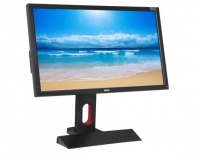
| By default the Benq XL2420Z is in 120 Hz mode. This means that the minimum time that a stimulus is shown is 8.3 ms. The monitor menu, reachable with the touch buttons on the right side of the monitor has a ''blur reduction'' setting. This changes the backlighting of the LCD screen in such a way that it is lighted only a quarter of the time. A stimulus present on the screen for one frame will now be visible for only 2ms.
| |
|
| |
| This setting is useful when the participant is moving with respect to the screen or is watching a moving object on the screen. The perceived blur will be reduced with 75%.
| |
|
| |
| See [http://www.blurbusters.com/ www.blurbusters.com] for more information on (motion) blur.
| |
|
| |
| Additionally the setting is useful when not only the onset (moment of appearing) but the moment the object is perceived is important. Do note that the latency of the onset does not change.
| |
| This page is outdated. Some or all of the information on this page may no longer apply. |
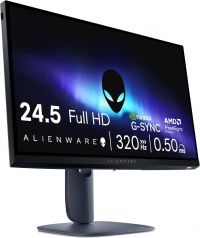
As of January 2026, we use the Alienware AW2525HM as standard monitor in our research labs.
Specifications
|
|
|
|
|
|
|
Alienware AW2525HM
|
Benq XL2420Z
|
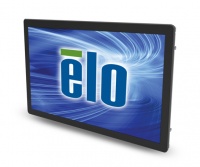
ELO 2244L
|
| Screen Size (diagonal) |
24.5" |
24" |
21.5"
|
| Aspect Ratio |
16:9 |
16:9 |
16:9
|
| Resolution (px) |
1920 * 1080 |
1920 * 1080 |
1920 * 1080
|
| Pixel Pitch (mm) |
|
0.276 |
0.248
|
| Brightness (cd/m2) [fn 1] |
400 |
350 |
250
|
| Contrast [fn 1] |
1000:1 |
1000:1 |
1000:1
|
| Panel Type |
IPS |
TN |
TN
|
| Viewing Angle (horizontal/vertical) [fn 1] |
178°/178° |
170°/160° |
178°/178°
|
| Vert. Refresh Rate (Hz)[fn 2] |
320 |
144 |
60
|
| Adaptive Sync |
Yes (Nvidia G-Sync, AMD FreeSync) |
No |
No
|
| Response Time GtG (ms) [fn 1] |
1 |
1 |
14
|
| Color Gamut [fn 1] |
99% |
72% |
|
| Touch |
No |
No |
Yes, capacitive
|
| Display Connections |
DisplayPort 1.4, HDMI 2.1 *2 |
D-Sub, DVI-DL, HDMI *2, DisplayPort |
D-Sub, DVI
|
| Other Connections |
USB (5Gbps) |
Headphone jack, USB 2.0 |
USB 2.0
|
- ↑ 1.0 1.1 1.2 1.3 1.4 As specified by manufacturer, measured values may differ.
- ↑ Maximum refresh rate. Our monitors are set to 120Hz by default (or 60Hz if that is highest)


